

Appearance
Ordering Cards
Once your card design is finalized, you can submit an order request for physical cards directly from the dashboard. Once reviewed by our team and an order is successfully placed and paid for, cards are printed and shipped to your specified address.
Placing an Order
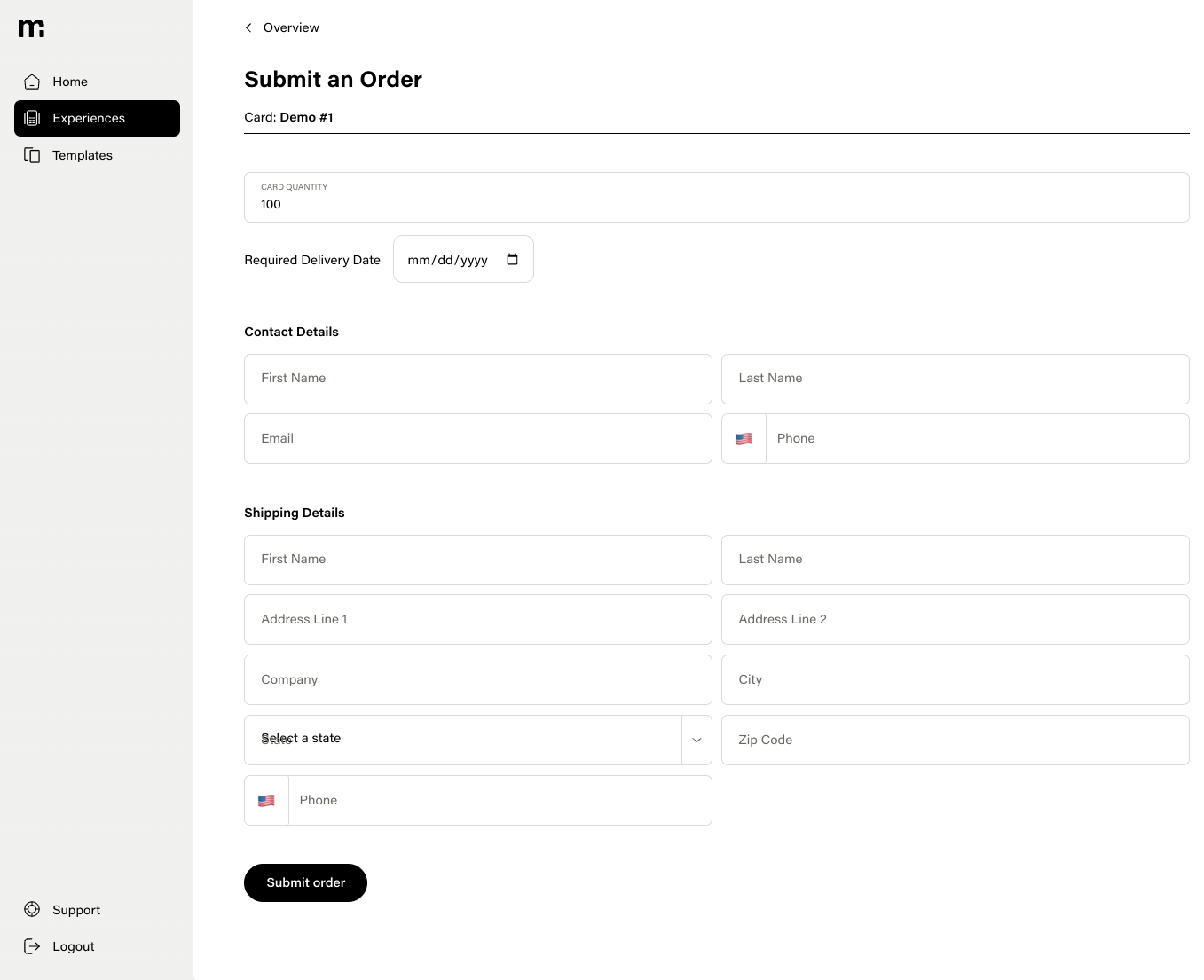
Navigate to an experience's Overview page and click Order Cards. You will be asked to fill out the order form.
Note: Payments are not submitted through mem-re Dashboard. Once an order is confirmed and ready for production, you'll be sent an invoice to submit payment.
Contact Information
| Field | Description |
|---|---|
| First Name | The first name of the order contact. |
| Last Name | The last name of the order contact. |
| Email address for order updates and confirmation. | |
| Phone | Phone number for delivery coordination. |
Order Details
| Field | Description |
|---|---|
| Quantity | The number of cards to order. Minimum order is 100 cards. |
| Required Delivery Date | The date by which you need the cards delivered. |
Shipping Address
Provide a full shipping address:
- Street address
- City
- State
- ZIP code
- Country
After Ordering
Once you submit the order, it is sent to the fulfillment team for review. As soon as the order is confirmed and ready for production, you'll be sent an invoice to submit payment.
Tips
- Plan ahead — factor in production and shipping time when setting your required delivery date.
- Order extras — having spare cards on hand is useful for replacements and additional distribution.
- You can place multiple orders for the same experience if you need additional cards later.